
Tactiq Review 2026 - Bot-Free Meeting AI
Verified Oct 21, 2026 by Tooliverse Editorial
Tactiq transcribes your Zoom, Google Meet, and Teams calls live—no bot joining—then hands you AI summaries and action items before you close your laptop. Over 1,000,000 users already rely on it.
Introducing Tactiq AI Workflows for Meeting Process Automation
How To USE Tactiq (QUICK GUIDE) 2026
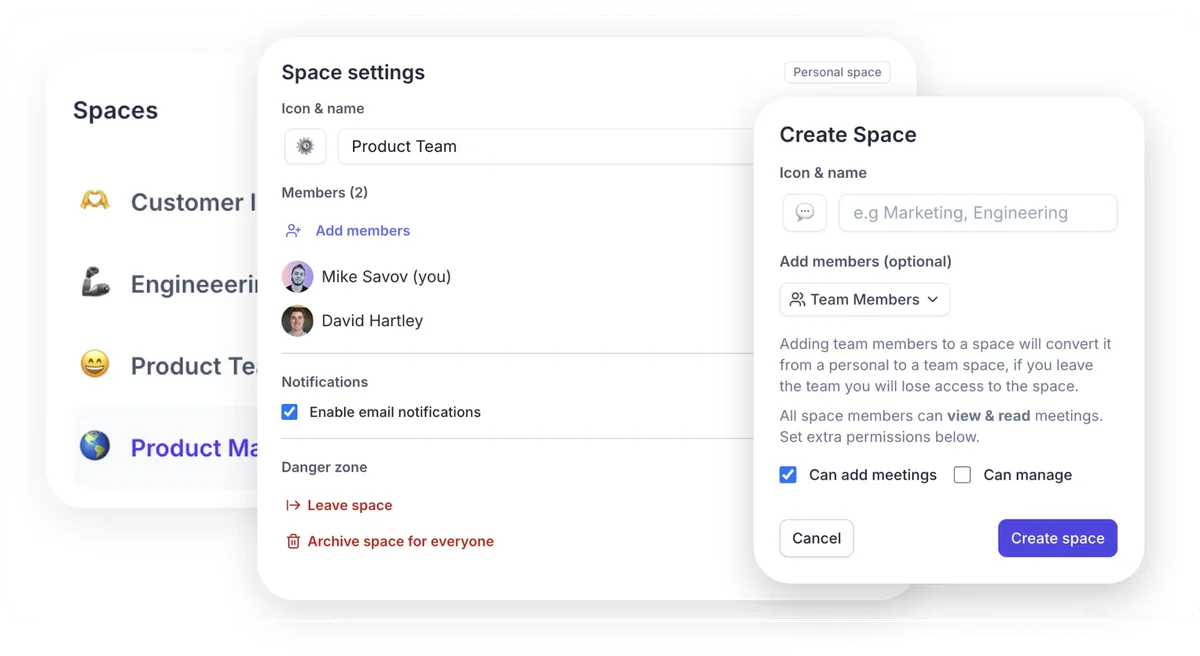
Organize teams into custom spaces with tailored permissions and settings.
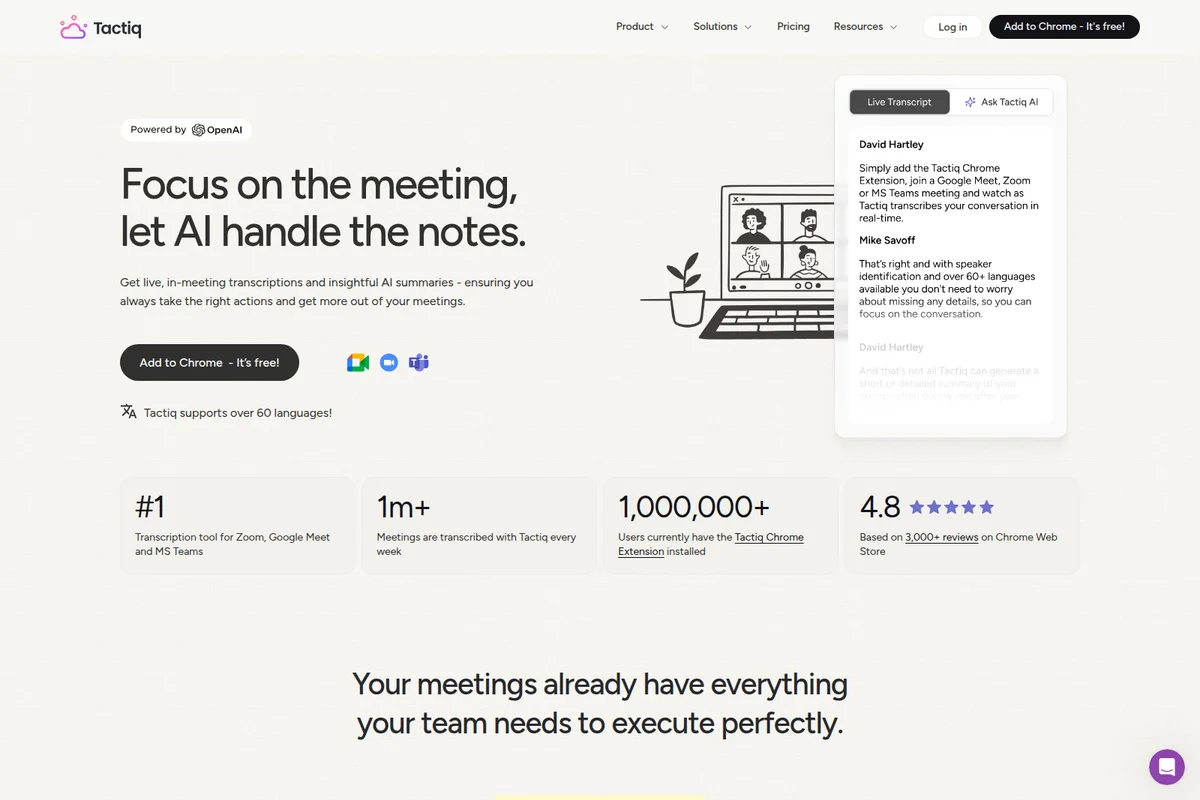
Automatically transcribe meetings and get insightful AI summaries in real-time.
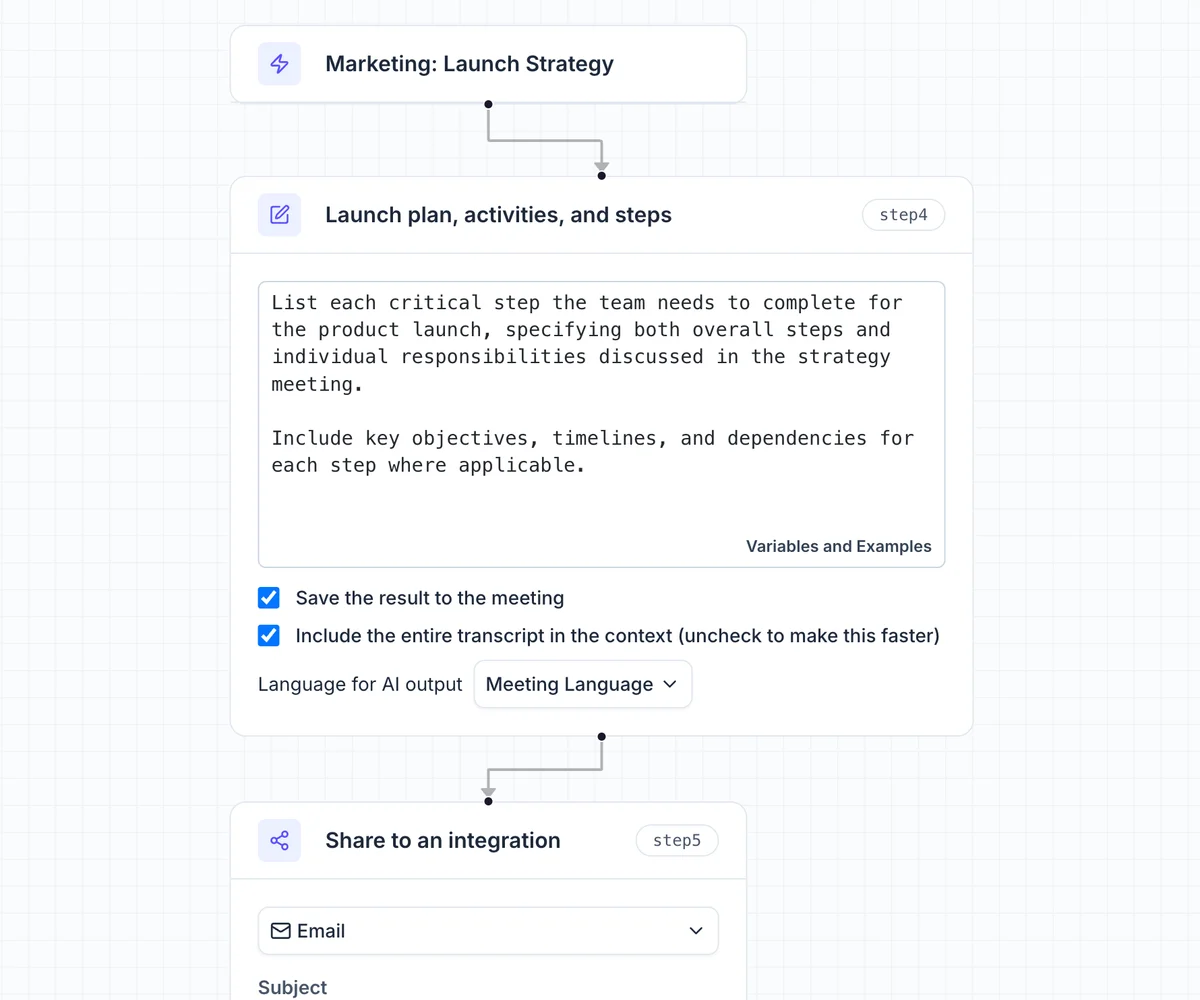
Transform meeting outcomes into actionable launch plans and share them via email.
Tactiq Review: Tooliverse Consensus




Based on 361 verified reviews across 5 platforms,
combined with Tooliverse's expert analysis
Tactiq transcribes Google Meet, Zoom, and Teams calls from inside the browser, no bot required, then turns the transcript into summaries and action items that users say catch what they missed live. The bot-free approach and a featherweight extension drive most of the praise, along with support for more than 60 languages. The tradeoffs are structural: accuracy follows the platform's own captions, desktop apps are out, and the free tier's credit limits push frequent users toward paid plans.
Bottom line: One of the strongest bot-free meeting transcribers, delivering unobtrusive capture and useful AI summaries, though it only works in the browser and its accuracy depends on each platform's native captions.
Tactiq | Key Specs
- Platforms
- Web, Chrome extension (Google Meet, Zoom, Microsoft Teams)
- Pricing Model
- Freemium ($0-29.17/user/mo, Enterprise custom) See plans
- Privacy/Data Use
- No audio recorded, OpenAI doesn't train on API data
- Security
- SOC 2 Type II, ISO 27001, HIPAA, SAML SSO See details
Wins
- •Captures real-time transcriptions without requiring a bot to join the meetingmentioned in 242 reviews
- •Integrates seamlessly with Google Meet, Zoom, and MS Teams via browsermentioned in 198 reviews
- •Generates concise AI summaries and action items that save hours of manual workmentioned in 185 reviews
Watch-Outs
- •Transcription accuracy depends heavily on the platform's native captioning qualitymentioned in 65 reviews
- •Requires meetings to be held in a browser, limiting desktop app functionalitymentioned in 54 reviews
- •Free tier limits AI credits and transcripts, requiring upgrades for heavy usersmentioned in 48 reviews
Tactiq Features 2026
Bot-free live transcription
Transcribes Google Meet, Zoom and Microsoft Teams meetings in real time without a bot joining, with speaker identification.
In-meeting Ask AI
Get real-time summaries, context-aware answers, AI-suggested questions and action items during the meeting.
One-click AI summaries
Generate summaries, follow-up emails, action items and project updates from transcripts with one click.
Custom reusable AI prompts
Save custom AI questions as reusable prompts to apply in future meetings.
Tactiq User Reviews
Selected Reviews
"I love that it saves the chat messages too. Most other tools only do the audio, but the chat often has the links we need."
"The best part is no bot. I hate when those AI bots join and everyone gets awkward. Tactiq just works in the background."
"Great for international teams. The multi-language support is better than most, though it struggles with heavy accents occasionally."
More from the Community
"Transcription is about 90% accurate. I still have to go in and fix names and specific project terms, but it's a huge time saver."
"Helpful for Google Meet, but I wish the Teams integration was more robust. It feels a bit clunky on some platforms."
"Completely changed how I handle client calls. I can actually look at the person instead of typing notes the whole time."
"The AI summaries are surprisingly good. It catches action items I missed during the actual conversation."
"The free plan is very limited now. I hit my transcript limit halfway through the month and the upgrade prompts are annoying."
"Transcription is about 90% accurate. I still have to go in and fix names and specific project terms, but it's a huge time saver."
"Helpful for Google Meet, but I wish the Teams integration was more robust. It feels a bit clunky on some platforms."
"Completely changed how I handle client calls. I can actually look at the person instead of typing notes the whole time."
"The AI summaries are surprisingly good. It catches action items I missed during the actual conversation."
"The free plan is very limited now. I hit my transcript limit halfway through the month and the upgrade prompts are annoying."
"The new AI workflows are a game changer. It automatically sends my action items to Notion without me doing anything."
"Setup was incredibly easy. Just a Chrome extension and you're good to go. No need to invite a bot to every calendar event."
"I use it for YouTube transcripts too. It's a hidden feature that makes researching videos so much faster."
"It's a bit of a pain that it only works in Chrome. If I have to use the Zoom desktop app for a specific feature, I lose the transcript."
"The new AI workflows are a game changer. It automatically sends my action items to Notion without me doing anything."
"Setup was incredibly easy. Just a Chrome extension and you're good to go. No need to invite a bot to every calendar event."
"I use it for YouTube transcripts too. It's a hidden feature that makes researching videos so much faster."
"It's a bit of a pain that it only works in Chrome. If I have to use the Zoom desktop app for a specific feature, I lose the transcript."
Tactiq Pricing 2026
View SourceThe free plan's 10 transcripts a month works more as a trial than a workflow, so anyone on calls weekly will outgrow it fast. Pro at $8/user/month billed annually removes the transcript cap, which is the limit people actually hit, though its 10 AI credits still run out for heavy summarizers. Teams that want unlimited credits should price the Team plan instead, but solo users can comfortably stay on Pro.
Tactiq In-Depth Review 2026

Tactiq is a Chrome extension that transcribes Google Meet, Zoom, and Microsoft Teams meetings live, with speaker identification, and no bot ever joins the call. On top of the transcript sits an AI layer for summaries, action items, and in-meeting questions, plus workflow automations that push results to Slack, Notion, Linear, and HubSpot. It transcribes in more than 60 languages, and with over a million Chrome users it is a familiar fixture in browser-based meeting setups.
What It's Like Day-to-Day
The core workflow is almost dull, which is the compliment. You install the extension, open your meeting in the browser, and the transcript scrolls in a side panel that only you can see, with an option to tell participants you're transcribing. Nothing changes on anyone's calendar, and reviewers say that is the point: Tactiq, as one Chrome Web Store user put it, "just works in the background." About 87 reviews specifically note that the extension is light enough to never slow the browser or the call.
Tactiq Security & Compliance
Verified Compliance
- SOC 2 Type II
- ISO 27001
- GDPR compliant
- HIPAA compliant
Security Features
- SAML SSO
- Advanced data retention
- Transcribe without recording audio
Privacy Commitments
- OpenAI does not use API data to train its models
- Does not record or store meeting audio
- Transcript visible only to the user unless shared
Tactiq: Frequently Asked Questions (FAQs)
Is there a free plan for Tactiq?
Yes, Tactiq has a Free plan with no credit card and no time limit. It includes 10 transcripts and 5 AI credits per month.
How much does Tactiq cost?
Paid plans are Pro at $8/user/month, Team at $16.67/user/month and Business at $29.17/user/month, all billed annually. Enterprise (200+ users) is custom priced.
What counts as one AI credit?
One AI credit covers a single AI action such as generating a summary, drafting action items, or asking Tactiq AI a question. Free includes 5 per month, Pro 10, and Team and above unlimited.
What happens when I hit my transcript or AI credit limit?
Tactiq keeps transcribing, but AI features pause until the limit resets at the start of the next month or you upgrade. Existing transcripts stay accessible.
Tactiq Integrations
| Google Meet | Zoom | Microsoft Teams |
| Slack | Notion | Confluence |
| Quip | Google Docs | Google Calendar |
| HubSpot | Salesforce | Pipedrive |
| Zoho | Linear | Asana |
| Monday | ClickUp | Jira |
| Whereby | Jitsi | Intercom |
| Evernote | Claude |
Tactiq: Verified Data Sheet
| # | Label | Data Point |
|---|---|---|
| [1] | Tactiq Consensus: 9.22/10 | Tactiq is one of the highest-rated AI productivity tools in the Tooliverse index, with a consensus score of 9.22/10 across 361 verified reviews. |
| [2] | What is Tactiq | Tactiq is a SOC 2 Type II attested, bot-free AI meeting transcription and summary tool for Zoom, Google Meet and Teams. It has 1,000,000+ Chrome extension users, with a free plan and paid plans from $8/user/month. |
| [3] | Tooliverse Consensus on Tactiq | Tactiq transcribes Google Meet, Zoom, and Teams calls from inside the browser, no bot required, then turns the transcript into summaries and action items that users say catch what they missed live. The bot-free approach and a featherweight extension drive most of the praise, along with support for more than 60 languages. The tradeoffs are structural: accuracy follows the platform's own captions, desktop apps are out, and the free tier's credit limits push frequent users toward paid plans. |
| [4] | Tactiq Verdict | Tactiq bottom line: One of the strongest bot-free meeting transcribers, delivering unobtrusive capture and useful AI summaries, though it only works in the browser and its accuracy depends on each platform's native captions. |
| [5] | Free: Free | Tactiq offers a Free tier with 5 AI credits / mo and 10 transcripts / mo, giving users access to AI tools at no cost. |
| [6] | 60+ language support | Tactiq transcribes meetings in over 60 languages and also offers transcript translation, a capability 112 user reviews single out as valuable for international teams. |
| [7] | Lightweight extension, no slowdown | Tactiq runs as a lightweight Chrome extension that 87 user reviews say does not slow the browser or the meeting. |
| [8] | Pro: $8/user/mo (annual) | Tactiq Pro costs $8/user/month billed annually and adds 10 AI credits / mo, a significant step up from the free tier. |
| [9] | Bot-free live transcription | Tactiq captures live meeting transcripts without a bot joining the call, a strength cited in 242 user reviews and the most frequently mentioned advantage in the dataset. |
| [10] | Works with Meet, Zoom, Teams | Tactiq works with Google Meet, Zoom, and Microsoft Teams through a Chrome browser extension, an integration story validated by 198 user reviews. |
| [11] | Accuracy tied to native captions | Tactiq transcription accuracy depends heavily on the meeting platform's native captioning quality, according to 65 user reports. |
| [12] | Browser-only; desktop apps unsupported | Tactiq requires meetings to be held in a browser, so transcripts are lost when users switch to desktop apps such as Zoom's, according to 54 user reports. |
| [13] | Privacy: OpenAI does not use API data to train its models | Tactiq's privacy protections mean OpenAI does not use API data to train its models, it Does not record or store meeting audio, and the Transcript visible only to the user unless shared. |
| [14] | Enterprise: SAML SSO | Tactiq provides enterprise security through SAML SSO, Advanced data retention, and Transcribe without recording audio. |
| [15] | Best part is no bot | Tactiq's no-bot approach earned praise from a Chrome Web Store reviewer who said "the best part is no bot" and that Tactiq "just works in the background" without making meetings awkward. |
Best Tactiq Alternatives
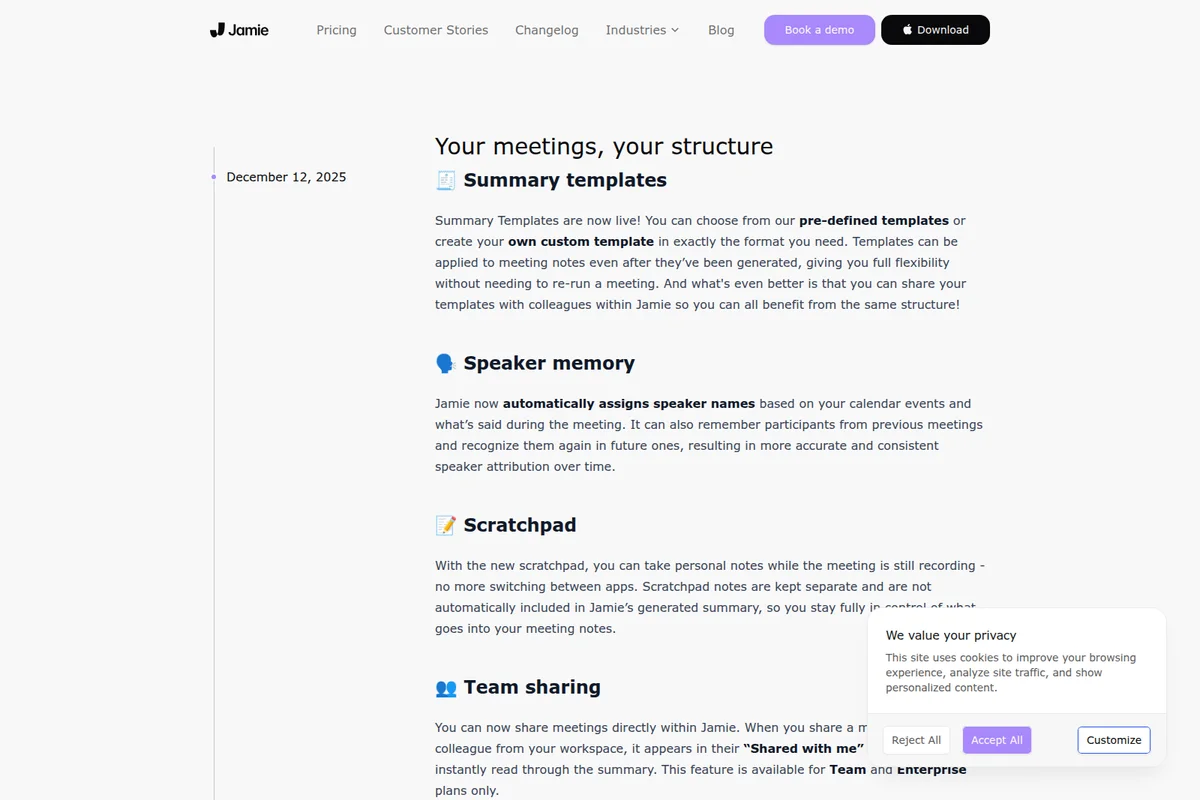
Jamie
Be fully present in every meeting while Jamie captures notes and remembers every detail, without a bot.
Granola
Take notes your way in meetings, with AI that turns them into polished, useful write-ups.
Otter
Never take meeting notes again—Otter records, summarizes, and turns every conversation into searchable knowledge.